GameChanger data, made more useful
Every team. Every season. One athlete profile.
Bring the same athlete’s GameChanger records together across teams and seasons. Add your own metrics and video, then share a recruiting profile you control.
Show me SimplSeason for…
Private beta · Create an account and request access.
Available now
ES
Eli’s complete record
3 teams · 4 seasons combined
Profile includes
GameChanger statisticsSynced
Family-provided metricsAdded
Selected game videosShareable
One profile can follow an athlete across every team and season.
Available today
Multi-season athlete profilesPrivate video libraryShareable recruiting profiles
For families
A complete athlete story—not another isolated season.
SimplSeason connects the records you already have with the information only you can provide.
Connect the history
Any team. Any season.
Sync one team or several, then connect the same athlete across every season without losing the original records.
Build the profile
Game data plus the whole player.
Combine GameChanger statistics with user-provided metrics, photos, academics, accolades, and recruiting details.
Share deliberately
A recruiting profile you control.
Keep the athlete record private, then publish and share selected profile details and videos when you are ready.
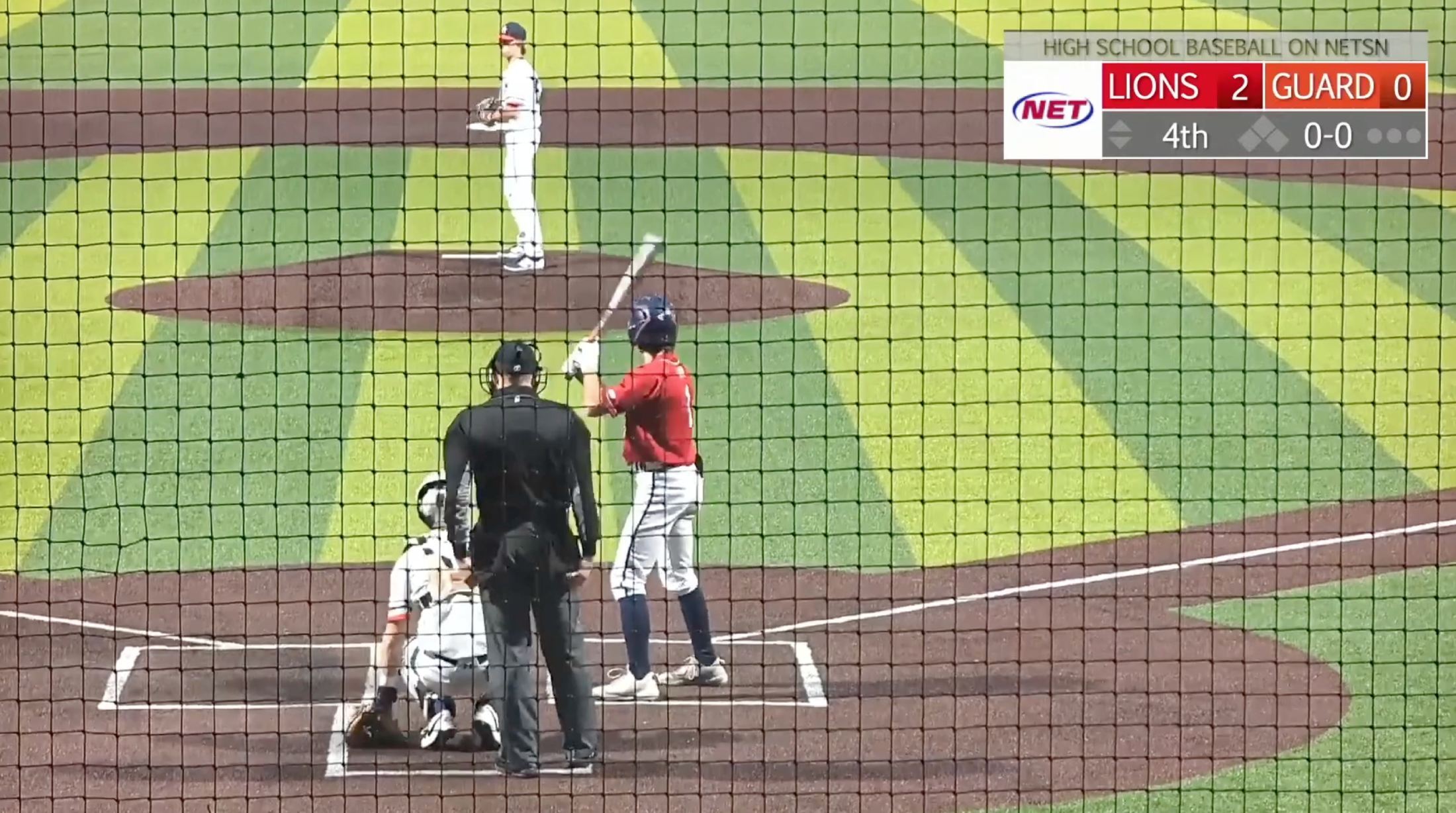
GameChanger video, under your control
Save the moments. Choose what gets shared.
Download available GameChanger videos into your SimplSeason library. Keep them stored with the player and game, then feature selected videos on a publicly shared athlete profile.
- Videos stay organized by player, game, and play.
- Your GameChanger password and temporary media links are never stored.
- Nothing is made public unless you choose to share it.
The recruiting view
Give coaches one link with the complete picture.
A shareable profile brings together verified game history, family-provided details, season statistics, accomplishments, and selected video.
Multiple seasonsCareer context without rebuilding the record every year.
Your informationAdd metrics and recruiting details that do not live in GameChanger.
Selective sharingChoose the information and videos that belong in the public view.
Recruiting profileEli Carter · 2027
AVG.387
OPS1.042
60 YD7.08
How it works
From GameChanger to one lasting athlete record.
Use the access you already have. SimplSeason reads supported pages after you sign in normally.
Connect SimplSeason
Install SimplSeason Sync in Chrome on a computer and connect it to your account.
Sync the teams
Open each supported GameChanger team and bring its players, games, and statistics into SimplSeason.
Connect the athlete
Link the player’s records across teams and seasons, then add personal metrics and details.
Build and share
Add available game videos and publish the recruiting profile when you choose.
Syncing requires a computer. SimplSeason Sync works in supported Chrome-based browsers on Mac, Windows, and personal Chromebooks. You can view SimplSeason from your other devices after syncing.
Available in the private beta
Start with the records you already have.
Core profiles, statistics, video tools, and season syncing are available now. Create an account to request beta access.
- Sync one or many teams and seasons
- Build multi-season athlete profiles
- Store and selectively share game video
- Keep imported records in your SimplSeason account
The practical questions
What families usually ask.
Can I combine more than one season?
Yes. An athlete profile can connect player records from multiple teams and multiple seasons into one view.
What can I add beyond GameChanger data?
You can add athlete details, performance metrics, academics, recruiting information, photos, accolades, and selected videos.
Is the athlete profile automatically public?
No. The record stays private unless you choose to publish a shareable profile, and you control which videos are shown.
Can SimplSeason save GameChanger videos?
Yes. Available GameChanger videos can be downloaded into SimplSeason, organized with the athlete and game, and shared publicly when desired.
Does SimplSeason get my GameChanger password?
No. You sign in to GameChanger normally. SimplSeason reads only supported pages that your account can already view.
Is SimplSeason part of GameChanger?
No. SimplSeason is independent and is not endorsed by or sponsored by GameChanger Media, Inc.
Private by default
The athlete record belongs to your account.
You decide whether to publish a recruiting profile and which details or videos appear there.
SimplSeason reads only supported GameChanger pages you can already view.
Public profile details and videos are selected deliberately.
Your GameChanger credentials remain with GameChanger and your browser.
Make the season useful
Build the record that lasts beyond the roster.
Connect the teams and seasons you already follow, then turn them into one complete athlete profile.